04Desktop App · Algo Trading
PrimeX Algo
Full Stack · Python · Desktop
Desktop trading bot written in Python: it reads the Prime Algo X indicator signals from TradingView, executes the trades on the exchange, keeps a trade journal and builds PnL reports. It runs on the user's own machine (Windows / macOS), packaged into a single executable with PyInstaller and shipped with an installer.
PythonPyInstallerTradingViewBinance APIWebSocket
Under the hood
AppPython · desktop
SignalsTradingView · Prime Algo X
ExecutionExchange API · futures
ReportsTrade journal · PnL
DeliveryPyInstaller · installer
01
Prime Algo Xindicator on a TradingView chart
02
Signal listenerserver or local source
03
Orderexchange API, fixed amount in USDT
04
Trade loglive over a socket
05
PnL reportrealized result and commissions
What's inside
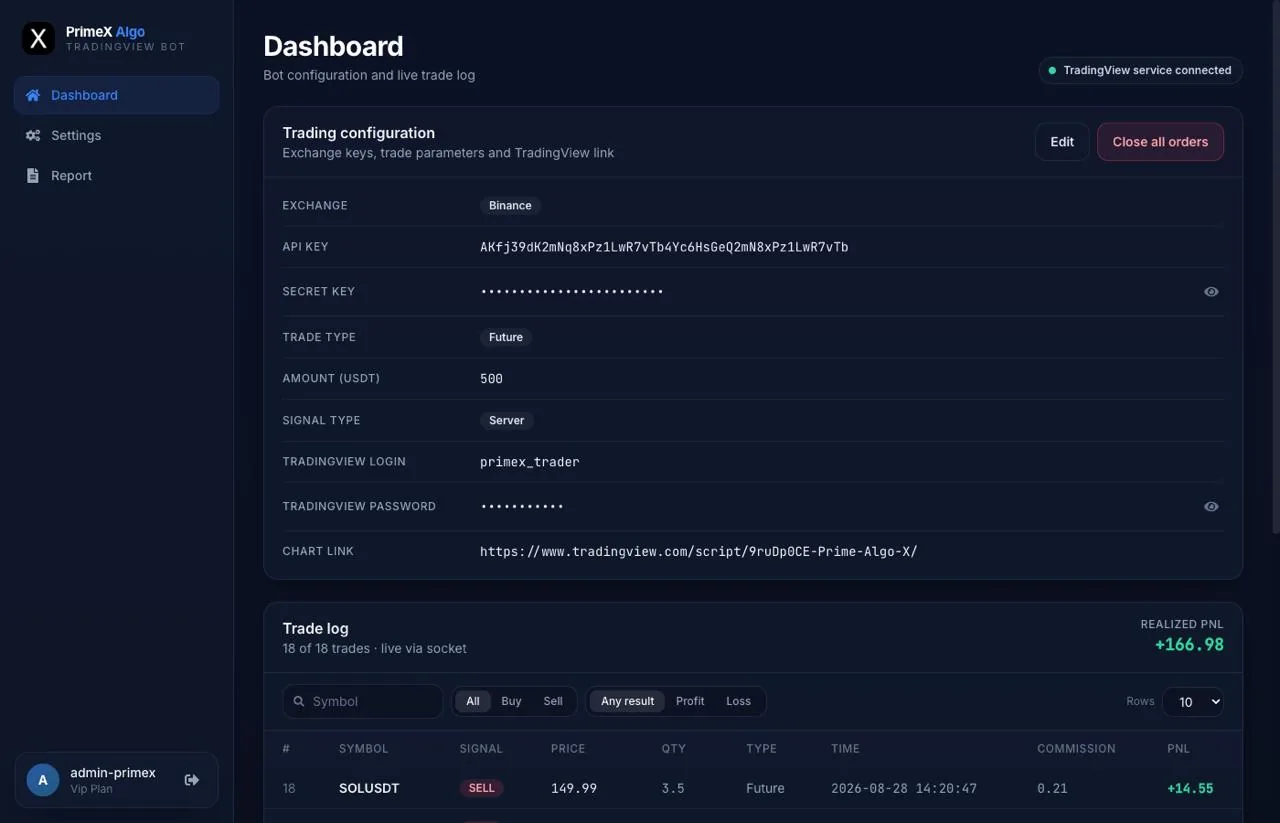
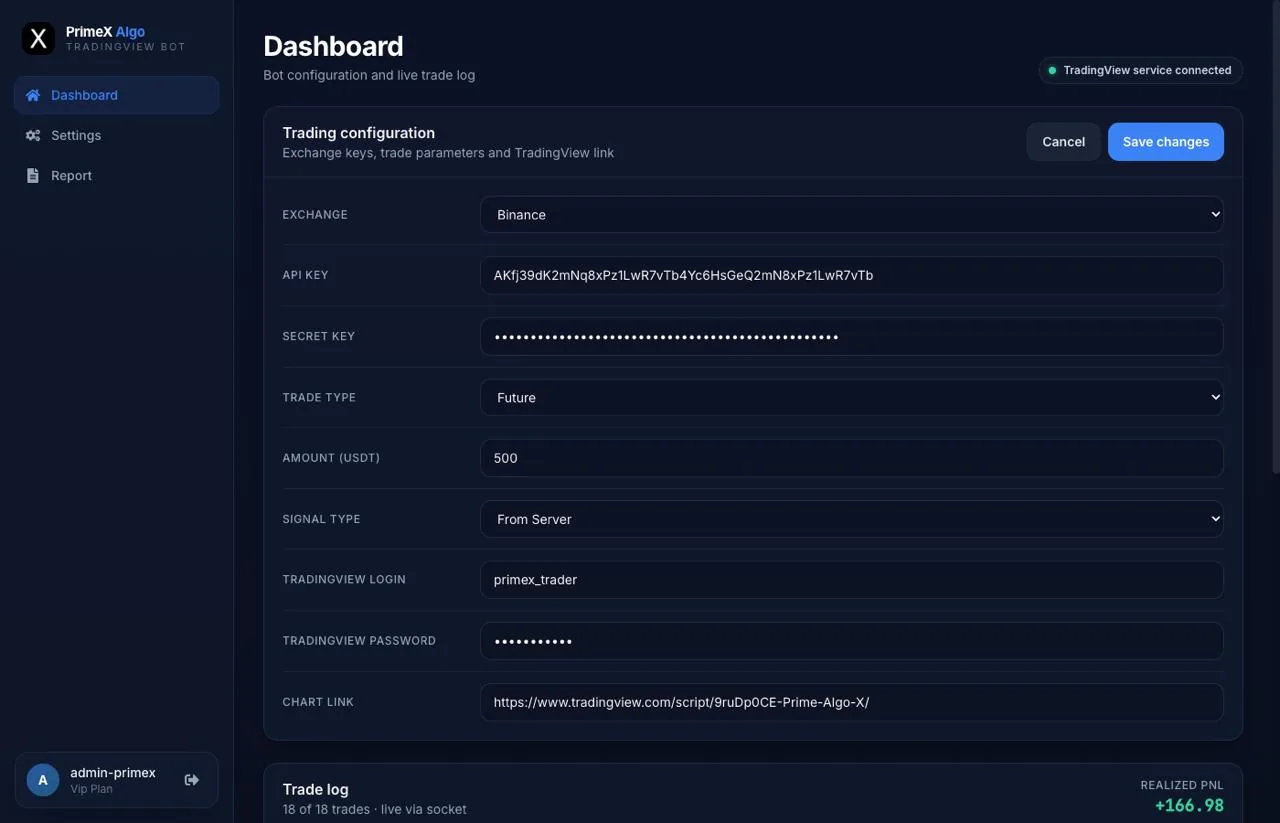
- Reads Prime Algo X signals from a TradingView chart — login and chart link are configured inside the app
- Places the trades on the exchange with the user's own API keys, no funds ever leave their account
- Trade parameters in one screen: exchange, trade type (spot / futures), order amount in USDT, signal source
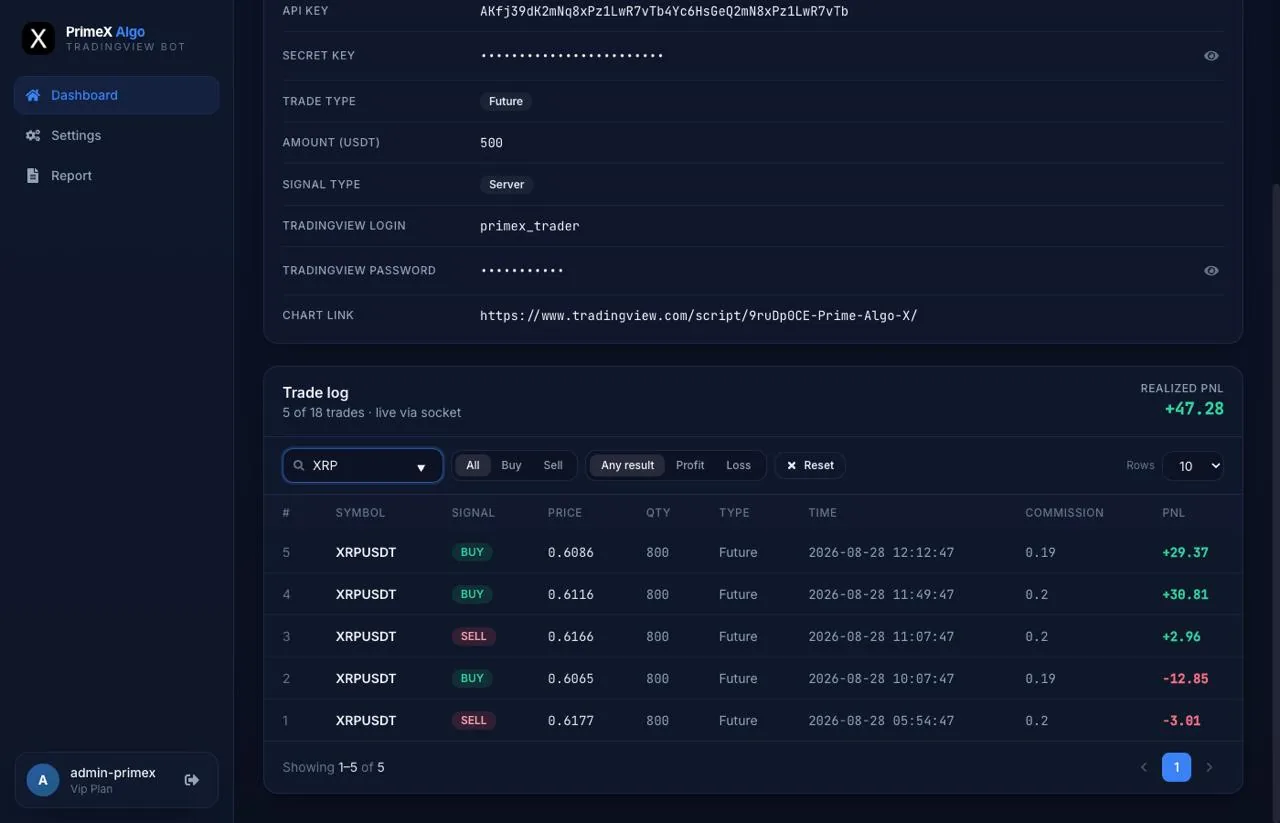
- Live trade log over a socket — symbol, side, price, quantity, commission and PnL per trade
- Filters over the journal: by symbol, buy / sell, profit / loss
- Realized PnL summed over the journal and reported separately
- Close all orders — a one-click kill switch for everything the bot has open
- Runs on the user's own machine, Windows and macOS, from a single Python codebase
- Packaged into a standalone executable with PyInstaller and shipped with an installer
Screens